

Notifications
Clear all
FAQs
1 Posts
1 Users
0 Reactions
2,384 Views
Topic starter
If I want to prevent patients replying to our practice SMS messages, what should I do?
You can easily prevent patients from replying to your SMS messages and replace the number that usually appears at the top of the received text with your own practice name by following these simple steps:
1. Go to "File" and "Practice Settings" from the menu at the top of the screen.
2. Select the "SMS" tab.
3. In the drop down box, select "No Reply - Use Following Ref" and enter your practice name in the box next to it. Please note that all SMS services limit the name to 11 characters or less.
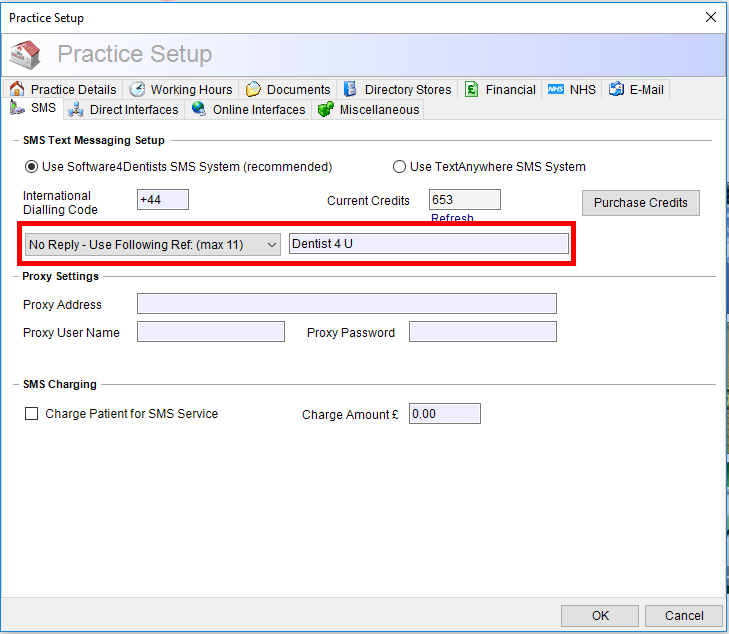
Now when the patient receives a text from you it will display your practice name instead of a number and cannot be replied to.
Posted : 07/06/2023 8:58 am
