

Notifications
Clear all
FAQs
1 Posts
1 Users
0 Reactions
2,436 Views
Topic starter
How can I stop my PC from disconnecting when using the cloud version
Beginning with Windows 7, Microsoft introduced a new feature into Windows called AutoTuningLevel. This is supposed to monitor your connection over a remote connection and modify it to either a higher or lower bandwidth. In practice what it does is randomly cut off your connection when you're least expecting it. Therefore it is best to turn off this "feature" in Windows. To do this follow these instructions:
1. Click on the magnifying glass in the Taskbar of Windows and in the "Run" box type "cmd".
2. This will show an option to run the "Command Prompt". It is necessary to start this in Administrator mode, so simply right click on "Command Prompt" and "Run As Administrator".
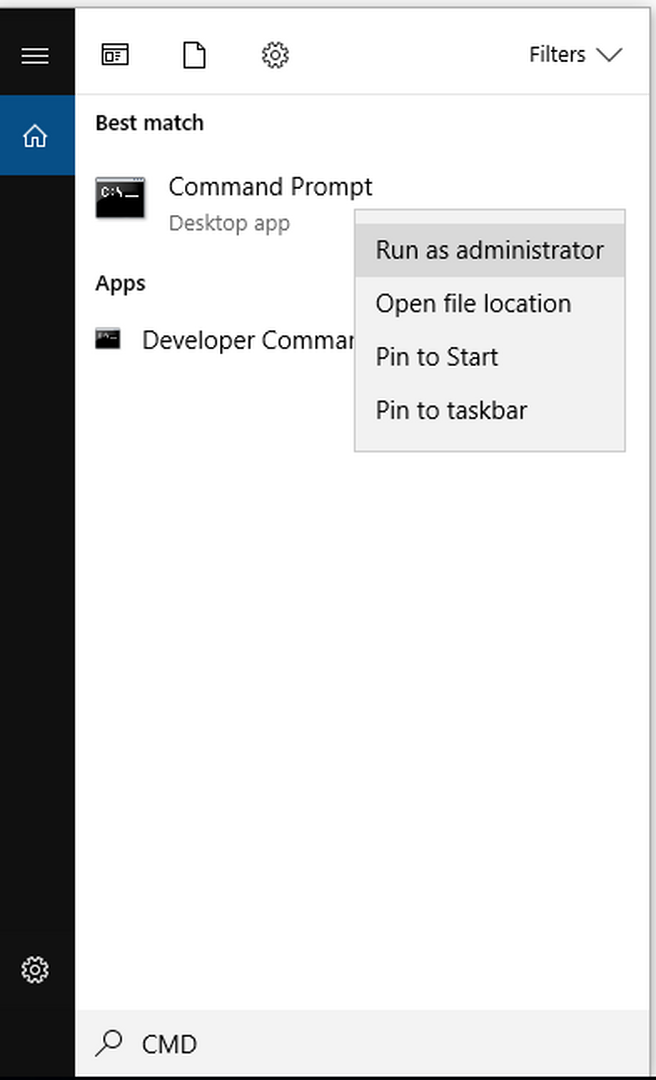
3. Once the command windows is shown (a black screen with a command prompt), enter the following line:
netsh interface tcp set global autotuninglevel=disabled
Then press enter.
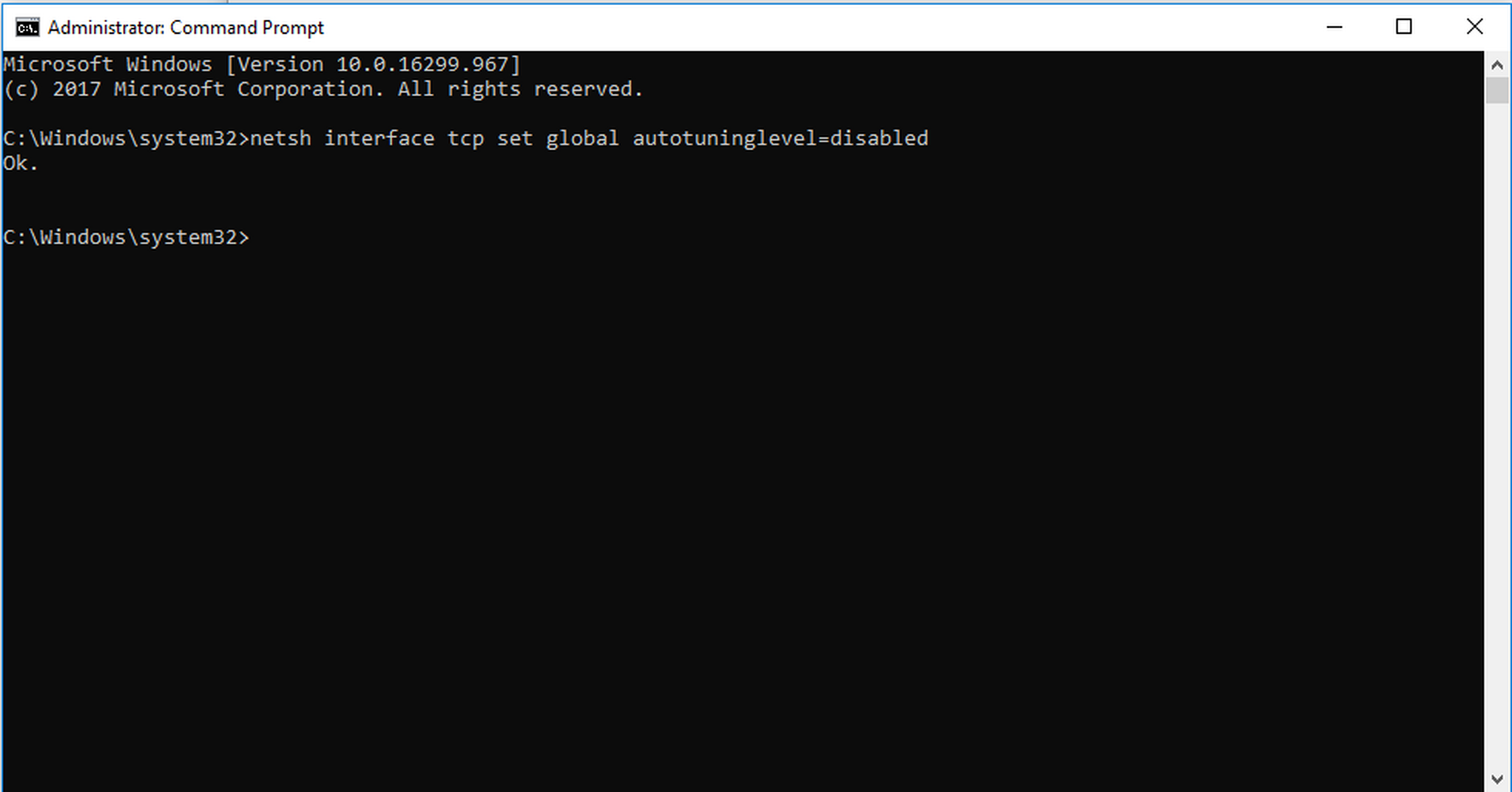
At this point it will simply respond with "OK" and autotuning will now be switched off. You should have no further problems connecting to the cloud.
Posted : 29/01/2022 1:43 pm
